A picture that freezes, blocks up into squares or drops out for a second and comes back is telling you something specific. The signal is arriving. It is just not arriving intact. That is a quality problem rather than a strength problem, and it points at a different set of causes than a screen that has gone black altogether.
Here is what pixelation actually is, how to narrow down which kind you have from when it happens, and the cause most people never think to check.
Why digital television breaks up instead of going fuzzy
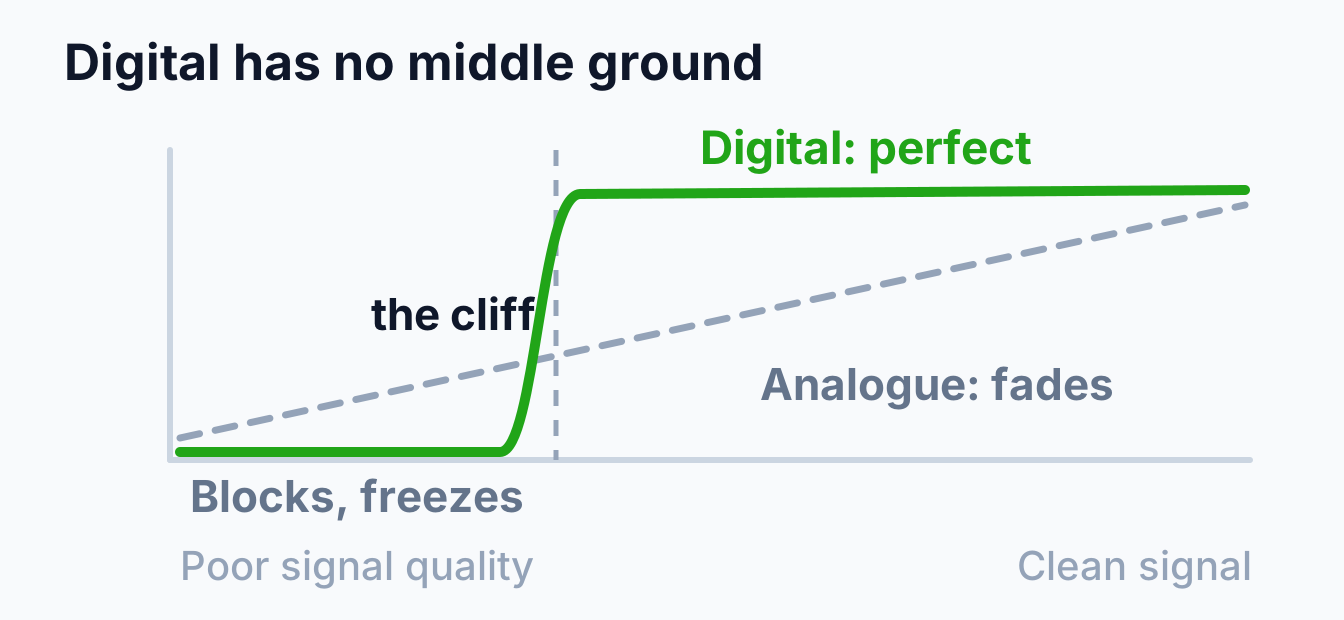
Analogue television degraded politely. As the signal got worse the picture got grainier, then ghosted, then snowy, and you could watch it decline for years and still follow the football.
Digital does not work that way. The tuner is reassembling data, and it either has enough to rebuild the frame or it does not. Built-in error correction papers over small losses, which is why a marginal signal can look flawless, but once the errors outrun the correction, there is nothing gradual left to give. You get frozen frames, squares of the previous image, stuttering sound, or a second of nothing.
That cliff is the whole reason pixelation is so confusing to diagnose. A system sitting just above the edge looks perfect, so nothing seems wrong until a passing shower, a warm evening or a neighbour's new extension pushes it over. Nothing broke. It was always this close.
It also explains the reading people find so counterintuitive: plenty of signal strength on the meter and a picture that still falls apart. Strength is how much is arriving; quality is how intact it is. Our guide to what to check when a TV says no signal goes through how to read both on your own set.
Narrow it down before you touch anything
Three questions get you most of the way, and they cost nothing:
- Every TV, or just one? One misbehaving set points at that TV, its lead or its wall point. All of them points further up: the antenna, the main cable or the distribution.
- Every channel, or only some? This one is more useful than people realise, and it is covered below.
- All the time, or at certain times? A fault that comes and goes on a schedule is a very different animal from one that is simply always there.
When only some channels break up
If one or two channels are unwatchable while the rest are fine, the problem is almost certainly frequency-related rather than a general weakness.
Australian television is split across two bands. The ACMA lists "VHF television channels 6 to 12: 174 to 230MHz (inclusive)" and "UHF television channels 27 to 51: 520 to 694MHz (inclusive)". Those are far enough apart that a system can be perfectly adequate for one and struggling on the other.
A few things follow from that. Coaxial cable loses more at the higher frequencies, so a long or tired cable run costs you more on UHF than on VHF: meaning the UHF services break up first as the cable ages. An antenna suited to one band and pressed into service on both will show the same pattern. And an amplifier does not lift every frequency equally, so a poorly matched one can leave part of the spectrum under-driven while over-driving the rest.
The practical takeaway: note down exactly which channels misbehave before you call anyone. It genuinely narrows the search, and it is the first thing we ask.
When it only happens at certain times
Timing is diagnostic, and it is worth keeping a rough note for a week before concluding anything.
Warm summer evenings. Atmospheric ducting carries distant transmissions far enough to interfere with your local ones. Nothing at your place is broken and no equipment will stop it: we cover it properly in our guide to what affects TV antenna reception in Melbourne.
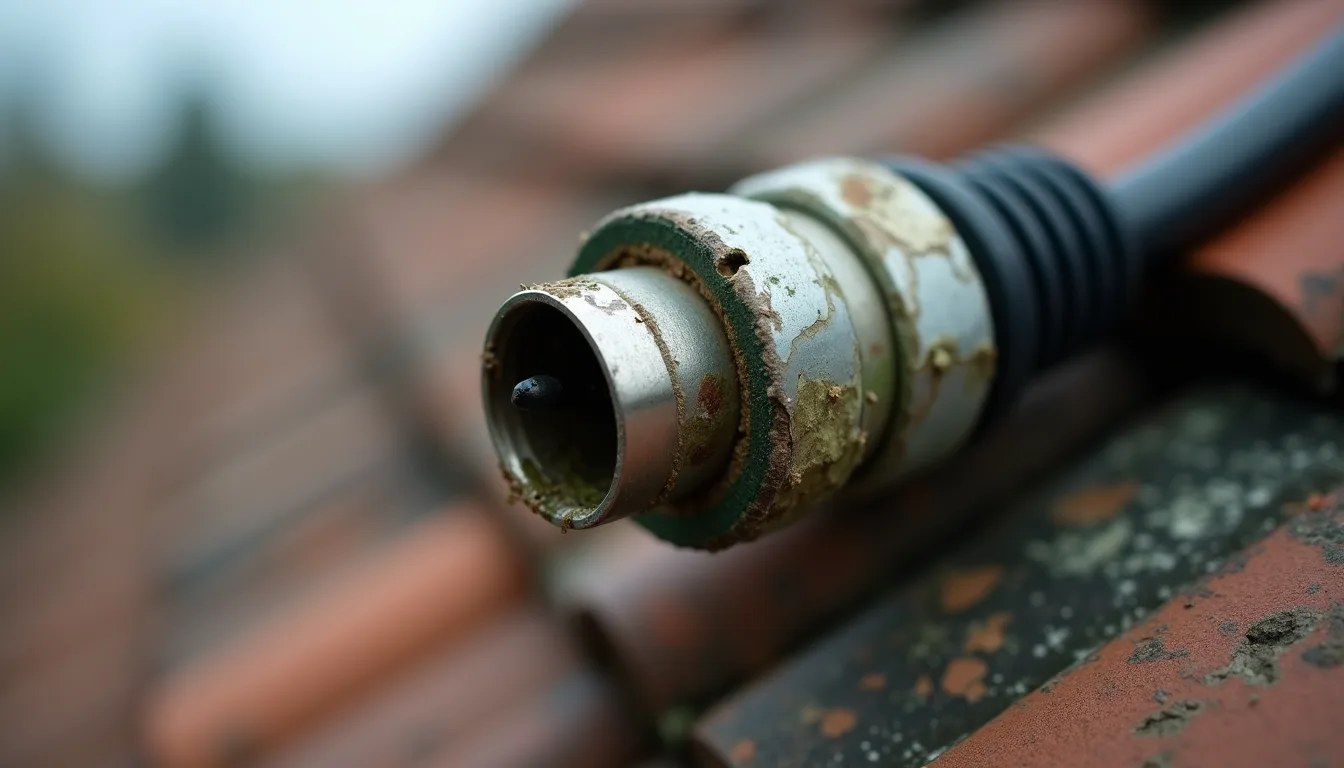
During or after rain. Wet foliage in the signal path absorbs more than dry, and water that has found its way into a cracked outdoor joint will wick down inside the sheath. Reception that is reliable in dry weather and hopeless in wet is one of the most recognisable patterns there is.
In wind. Movement in the picture that tracks movement in the weather usually means something is loose. A mast that has shifted, a bracket working free, or a connector that is no longer making a solid joint.
At the same time every day. That is a strong hint at something switching on rather than anything about your antenna, which brings us to the cause people almost never check.
Interference, the cause nobody looks for
Not every signal problem comes down the cable from the roof. Plenty of pixelation is caused by something adding noise nearby, and because it has nothing to do with the antenna it survives every attempt to fix the antenna.
Mobile signals. Amplifiers are the usual culprit here, because they do not discriminate about what they boost. The ACMA's warning is worth taking literally: "Use a signal booster or amplifier only if necessary. They can overload your TV receiver with TV or mobile phone signals." An amplifier fitted years ago to solve a different problem can be the reason a system is now marginal.
Things inside the house. Cheap plug-in power supplies, some LED downlights and dimmers, and failing appliances with brushed motors all radiate electrical noise. The test is free: when the picture is misbehaving, switch things off one at a time and watch. If the breakup stops when the kitchen downlights go off, you have found it, and no antenna work would ever have fixed it.
Old cable as an aerial. Coaxial with a degraded braid stops keeping interference out. That is often why a house picks up noise it never used to. The shielding has quietly stopped doing its job.
What the pattern usually means
| What you see | Most likely | What helps |
|---|---|---|
| One TV only | That set, its lead or its wall point | Swap the lead, try the set on another point |
| Every TV at once | Antenna, main cable or distribution | A technician with a meter at the antenna |
| Some channels only | A frequency-related loss, often UHF | Cable condition, antenna suitability, amplifier match |
| Worse in wet weather | Water in a joint, or wet foliage | Remaking and weatherproofing outdoor joints |
| Worse in wind | Something loose or shifted | Re-securing the mast and re-aiming |
| Warm summer evenings | Ducting | Nothing at the house; margin rides it out |
| Same time each day | Local electrical interference | Switch things off one by one to identify it |
| Started after a new TV point | Signal split too many ways | Proper distribution rather than another splitter |
What is worth trying yourself
Retune properly first. Most people press auto-scan, which is not the same thing. The ACMA recommends you "Re-tune your TV or set-top box with a manual tune, rather than an 'auto-scan', using the frequencies provided on mySwitch." An auto-scan will cheerfully store a weak distant service alongside your local ones, and that stored channel will pixelate forever.
Then check what you can safely reach: the lead between the wall and the TV, the wall plate itself, and any connector inside the house that has been disturbed. Push-on plugs work loose more often than anyone expects.
Stop at the roof. A tiled roof is slippery and brittle underfoot, and diagnosing a marginal signal properly needs a meter at the antenna rather than a guess from the lounge room.
Frequently asked questions
Will a signal booster stop my picture pixelating?
Sometimes, and it can just as easily make it worse. An amplifier boosts noise and interference along with the signal, so if the problem is interference or reflections rather than weakness, you get a stronger version of the same mess. We set out when an amplifier earns its place separately.
Why does it only happen on one channel?
Because that service is on a frequency your system handles less well. Cable losses and antenna performance both vary across the bands, so the weakest link shows up on some channels well before the others.
Can a new TV fix pixelation?
Rarely. Newer tuners are a little better at hanging on to a marginal signal, so a new set can mask the problem for a while, but the signal reaching it is unchanged. If every TV in the house is affected, a new one is not the answer.
Why did it start on its own?
Because it probably did not. Digital reception sits fine until it crosses the cliff, so a slow decline (a corroding joint, an ageing antenna, a tree filling out) shows up as a sudden problem on the day it finally tips over.
Breaking up is a solvable fault, and the fix is often small once the cause is properly identified rather than guessed at. We measure at the antenna before recommending anything, because a picture that pixelates for three different reasons needs three different answers. Have a look at our TV antenna installation page, or book a free onsite quote and we will find out which one you have.